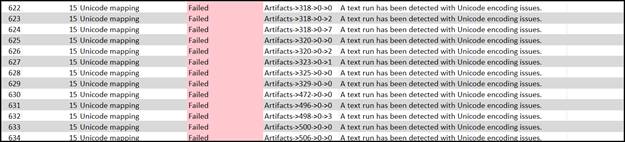
There are a variety of reasons why you may get an error message telling you that your document has Unicode, or character encoding issues. Some possibilities include:
- Fonts are being used that are not, or cannot be, mapped to Unicode.
- How the PDF is being generated from the source.
Unfortunately, these issues need to be fixed in the source PDF and cannot be fixed with the Simplified Editor. Refer to the, “Unicode Issues (Desktop and Advanced Editor)” Knowledge Base article, for possible options to fix the issue.
Was this article helpful?
That’s Great!
Thank you for your feedback
Sorry! We couldn't be helpful
Thank you for your feedback
Feedback sent
We appreciate your effort and will try to fix the article