There are a few reasons why you might not be able to create a Domain in Clarity.
Website security
If you get a 403 error code, or if you get the error message shown below, when trying to create a Domain, it's most likely that Clarity is being blocked by your CMS vendor, etc., and needs to be whitelisted.
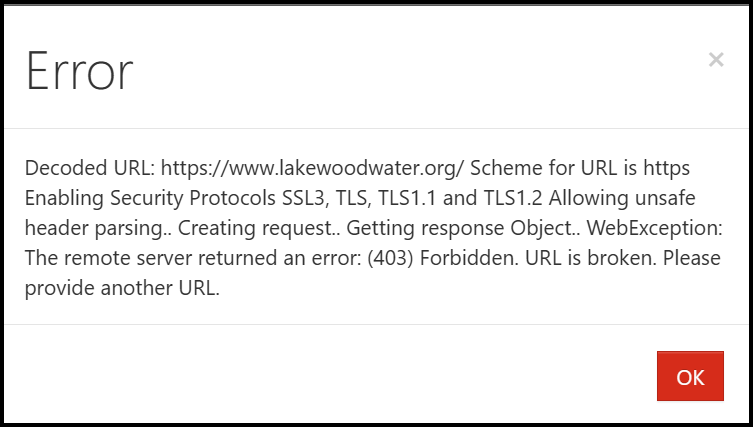
NOTE: If you cannot get Clarity whitelisted, so that it is allowed to crawl the website, or if the website is built using JavaScript (see more on that, below), your only alternatives may be to either get the direct URLs to the PDFs and upload those to Clarity OR to download the PDFs themselves, put them in a folder in a location that Clarity has access to, and then point Clarity at that folder.
The site is built with JavaScript
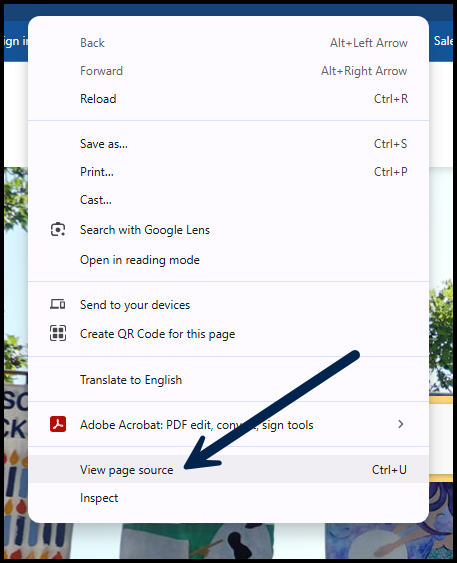
If the site is built using JavaScript, and not actually using HTML, for example, Clarity won't be able to scan it. Navigate to the website in question, right-click on the page, and the open the "Page Source." If you see JavaScript instead of HTML, that's the issue.
Specifically, these types of sites do not render the content to the user until specific JavaScript functions are executed on the site. Unfortunately this is a limitation of Clarity as it’s not able to execute these functions. This is something that all crawlers will have issues with (not just Clarity).
If this is the case, the only way to use Clarity to test the PDFs is to download them from the website, put them in a folder, and then have Clarity scan that folder. Depending on the number of PDFs on the site, you might want to do some analytics first, to find out which PDFs are most frequently read, and then start with testing those.
Was this article helpful?
That’s Great!
Thank you for your feedback
Sorry! We couldn't be helpful
Thank you for your feedback
Feedback sent
We appreciate your effort and will try to fix the article