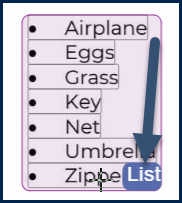
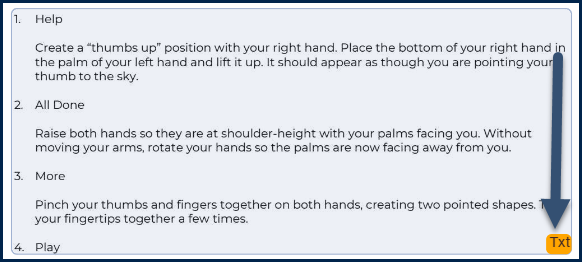
If you are looking at a list in the page view of the document, in CommonLook PDF's Simplified Editor, it should be in a List container. If it’s in some other type of container, try converting the container to a List. If that doesn’t look right, you could try deleting the container and creating a new one. Below are two screenshots. The first shows a list in the document that’s been properly identified as a List. The second shows a list in the document that has been identified as text.
Pro Tip: To delete a container, select it and then hit the Delete key on your keyboard.
Converting a container to a List container
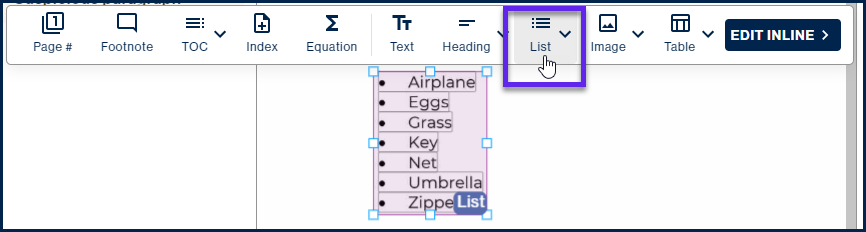
If the content in the page view looks like a list but hasn’t been placed in a List container, follow these steps to convert the container:
Select the container,
- In the toolbar, choose “List.”
Manually creating a List container
If converting a container to a List container doesn’t seem to work correctly, create a new List container. Follow these steps:
Select the container that is holding the list and delete it.
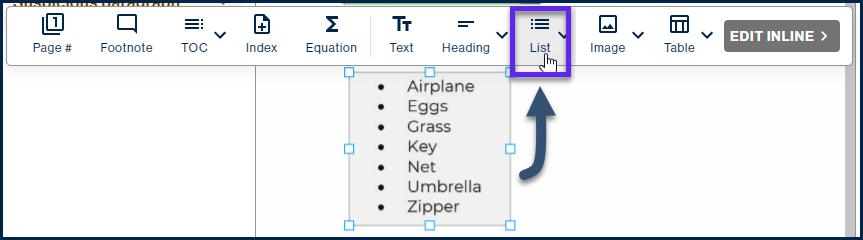
- Draw a box around the list in the page view.
- In the toolbar, choose “List.”
Once your List containers have been created, or converted, as needed, verify that the contents of the lists, in the page view, are all correctly contained in List Items within the appropriate List container.
Didn't find what you're looking for? Navigate to our "Lists" section for more related articles that may help!
Was this article helpful?
That’s Great!
Thank you for your feedback
Sorry! We couldn't be helpful
Thank you for your feedback
Feedback sent
We appreciate your effort and will try to fix the article