Product
CommonLook PDF Desktop Version
Feature
Captions
Document Element
Table and Figure Captions
Overview
When tables and or figures have captions, this information must be properly associated with the content and made available to assistive technology.
Prerequisites
Both Table captions and Figure captions need to be tagged in a caption tag.
Important: Caption tags are considered "grouping tags" and cannot directly hold a text element; therefore, the caption text needs to be placed inside of a P tag, and that P tag is then placed inside of a Caption tag.
Steps to Follow
There are two parts to correct tagging and placement of captions for tables and figures.
Part 1: Construct the correct tagging structure (same for both tables and figures)
- Select the text to be tagged as a caption. You can either do this in the Physical view or by selecting the tag containing the text in the Tags tree.
- Insert the caption text into a Paragraph tag either by creating a new Paragraph tag after highlighting the text in the Physical view or by converting the current tag to a Paragraph. The screenshot below shows the button to create a Paragraph tag from the Insert tag tab's ribbon.

- With the Paragraph tag selected, navigate to the Insert tag tab and select Caption (or use the keyboard shortcut Ctrl+Q).

Part 2: Where to Put the Caption Tag (Reading Order)
Figures
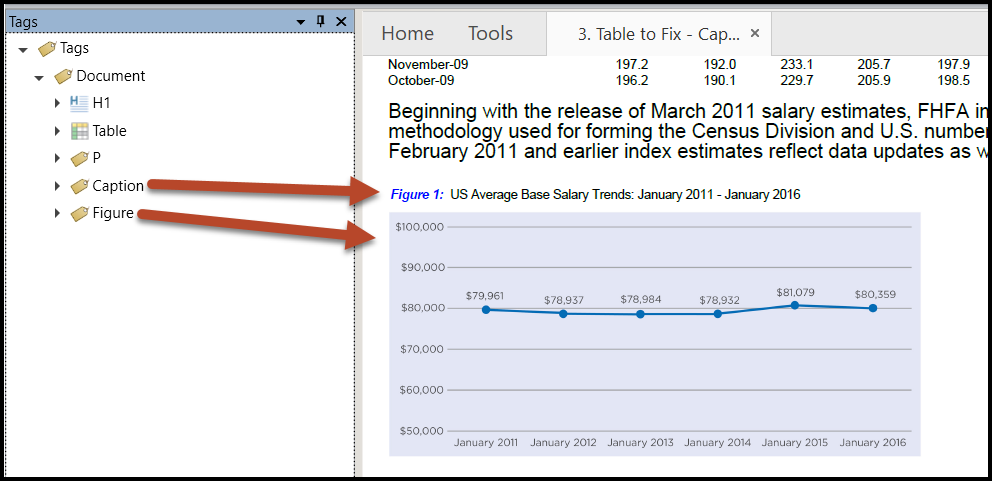
Place the Caption tag in the Tags tree either before or after the Figure tag (as siblings to each other) based on how it appears in the physical view.
Tables
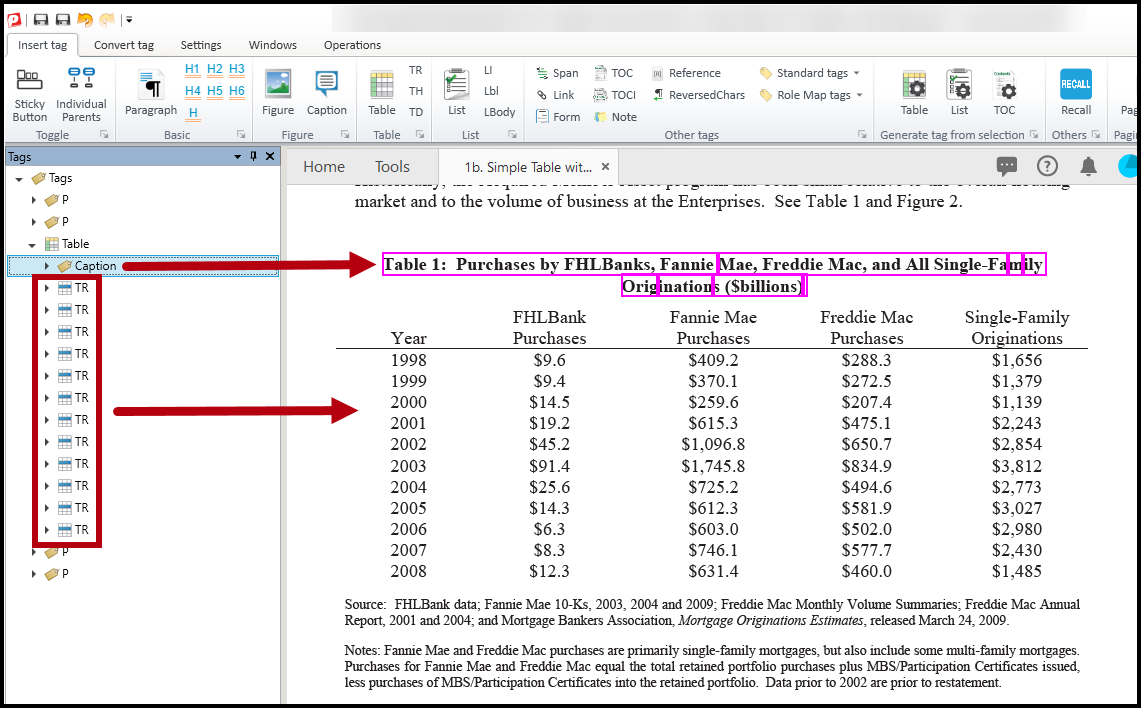
Caption tags for tables are placed inside the Table tag. Depending on whether the caption is displayed above or below the table in the physical view, the Caption tag will be placed above the first TR (Table Row) tag or below the last TR tag. Referring to the screenshot below, because the caption for “Table 1” appears above the table in the physical view, the Caption tag is placed inside the Table tag above the first TR tag.
Screenshots
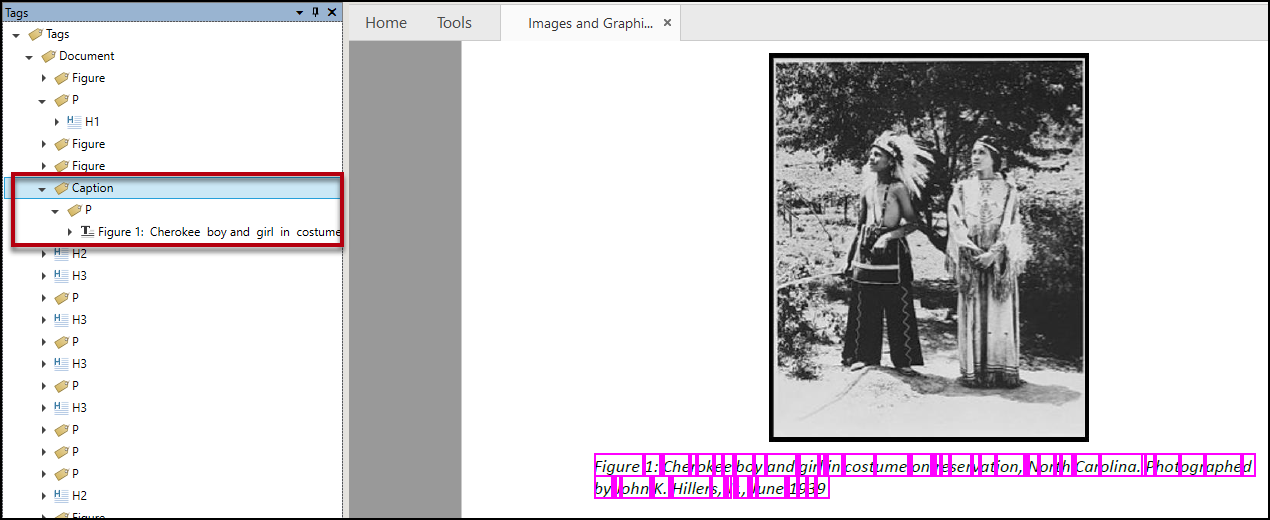
Here's a screenshot of a properly "assembled" Caption, showing the Caption tag opened with a Paragraph tag inside it. The text of the caption is shown inside the Paragraph tag.
Common Problems
Placing the caption inside of the Figure tag:
Do not place Caption tags inside Figure tags. When the Figure tag has Alternative text (as required) then that's what gets read. As a result, if the Caption tag is nested inside a Figure tag, the contents of the Caption tag won't be read.
Frequently Asked Questions
Can I add the caption text directly as the alt text for the figure?
It is generally not recommended to use the exact figure caption as the image's alternative text. Screen reader users will typically encounter both the alt text and the caption, which can result in redundant information being announced.
Instead, the alt text should provide a concise description of the figure and, where appropriate, indicate that additional details are available in the accompanying caption. This approach avoids duplication while ensuring users are aware that more information can be found in the caption.
Related Articles
How to Tag Images, Graphics, and Figures (Desktop)
Was this article helpful?
That’s Great!
Thank you for your feedback
Sorry! We couldn't be helpful
Thank you for your feedback
Feedback sent
We appreciate your effort and will try to fix the article