Why Headings are Important
Headings are used to convey the structure, organization, relationships between sections, and hierarchy in a document.
In addition, similar to how a person with sight might use bookmarks to navigate through a document, a screen reader can scan through a PDF reading only the headings. This allows the user to quickly locate a particular section in the document that they would like to read. For this reason, it is important that heading levels be used in a correct and logical manner.
How to Organize Your Headings
It may be helpful to think of heading level organization similar to that of an outline. For example, the title of the document would be assigned “Heading 1,” major sections, like chapters in a book, would be marked as “Heading 2,” and subsections within chapters would be assigned the “Heading 3” style.
Important note: Contrary to what you might think, don't use the “Title” style for the title of your document and then “Heading 1” for each of the chapters. The "Title" style (or tag, in PDF) isn't handled correctly by screen readers and having multiple Heading 1 tags in a PDF will convey incorrect structural information to the end-user!
How to Use Headings (Styles)
Choose the Home tab in Word and then navigate to the Styles group. Choose the Style needed for your content.

If you don't find the Style that you need in the group in the ribbon, select the small arrow at the lower right corner of the Styles group to open the Styles menu with more options.
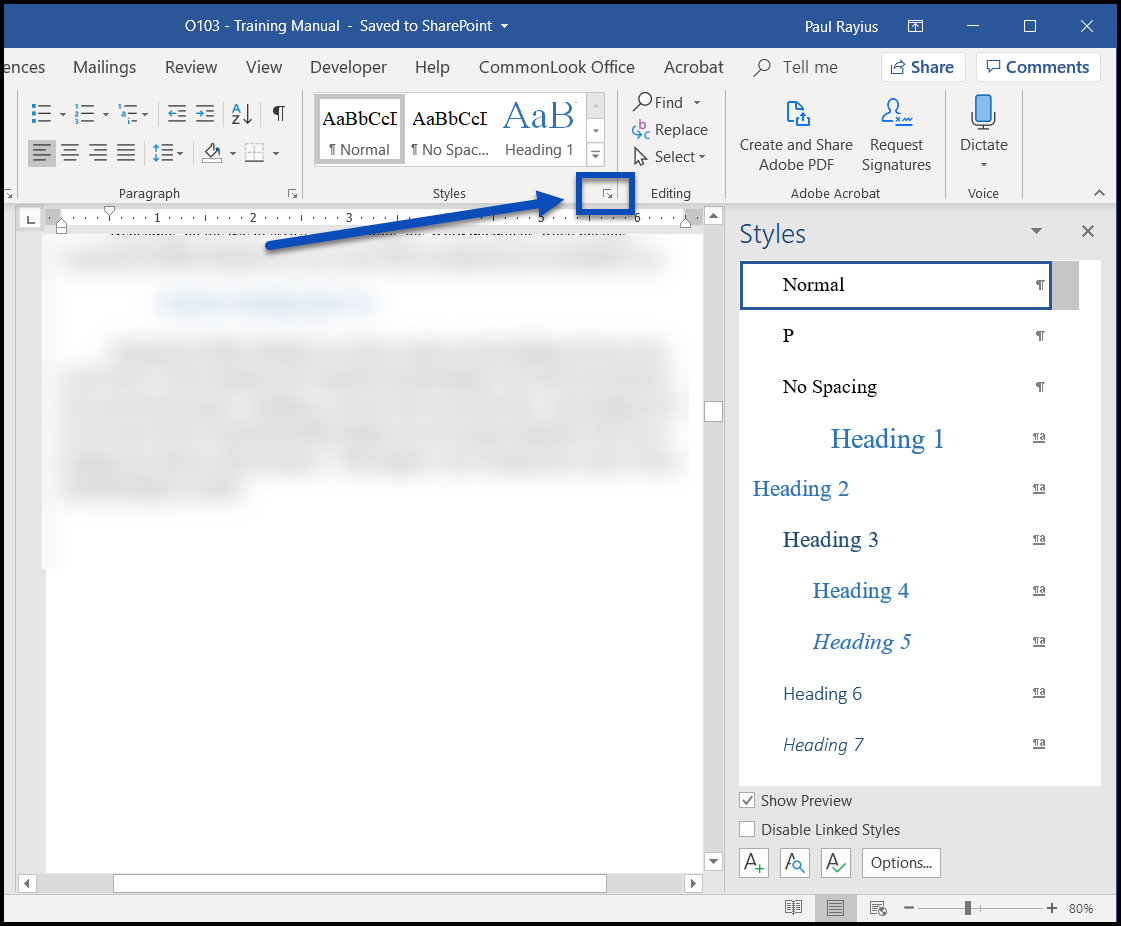
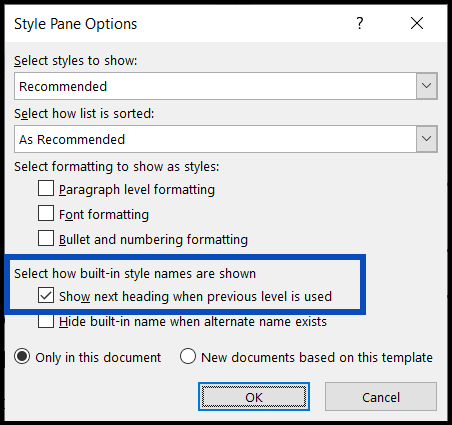
Pro Tip! If you need to go to the Styles menu to find the Style you want, select the "Options" button to open an additional dialog box. Then, in the Style Pane Options dialog box, check the checkbox for "Show next heading when previous level is used."
Was this article helpful?
That’s Great!
Thank you for your feedback
Sorry! We couldn't be helpful
Thank you for your feedback
Feedback sent
We appreciate your effort and will try to fix the article