Product
Advanced Editor (Web-based CL PDF)
Feature
Validation
Document Element
Compliance Report
Overview
After completing a full validation, a compliance report lets you track your remediation efforts. It shows the validation outcome and final result for every checkpoint within the standards you checked against, which is useful for confirming when a document was remediated and exactly what actions were taken. Many people save both the finalized, compliant PDF and the compliance report together as a record of their work.
Prerequisites
Before you begin, make sure you have:
- A completed full validation of the document.
- Access to the Results panel.
Steps to Follow
- Open the Filter by menu in the Results panel and check the box for All.
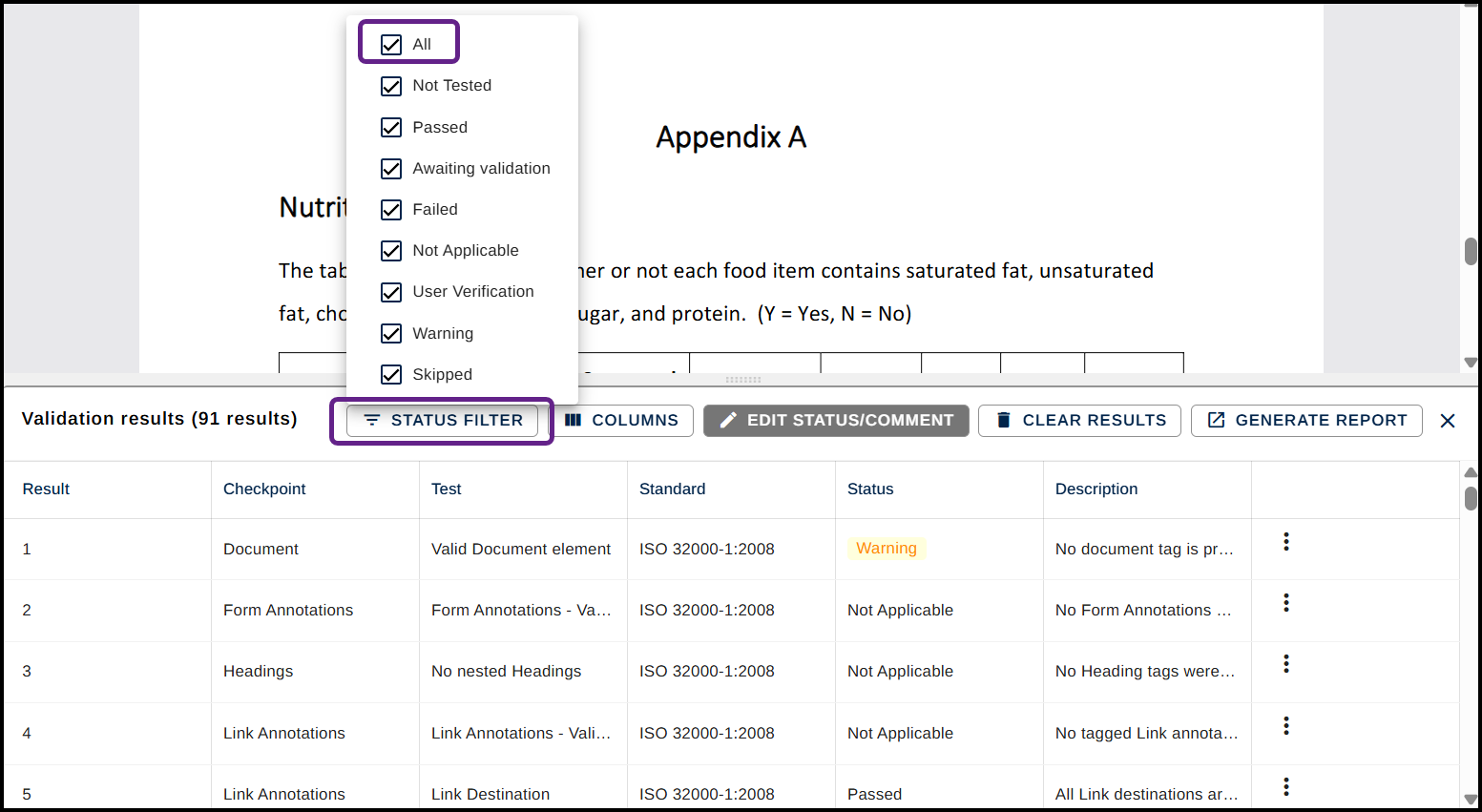
- Click anywhere to close the dropdown menu.
- To the right of the Filter By menu, click the button labeled Generate Report.

- The report will then be automatically saved wherever your browser-based downloads are set to be located. For most, this is your "Downloads" folder. By default, the report uses the PDF's file name. The report saves as an accessible HTML file. The report also includes any comments added during the validation process.
Common Problems
The report doesn't seem to include everything I expected.
Confirm you checked All in the Filter by menu before generating the report. If only certain results were filtered or shown, the report may only reflect those.
I can't find where the report was saved.
The report will be automatically saved wherever your browser-based downloads are set to be located. For most, this is your "Downloads" folder.
Frequently Asked Questions
What's included in a compliance report?
It shows the validation outcome and final result for every checkpoint in the standards you checked against, plus any comments added during the validation process.
What file format is the compliance report saved as?
It saves as an accessible HTML file.
Why should I keep both the compliant PDF and the compliance report?
Together they document that the PDF was remediated and show exactly what actions were taken during validation, which is useful for tracking your remediation efforts over time.
Can I choose where the report is saved?
No. Saving will default to your browser's download location for easy access.
Was this article helpful?
That’s Great!
Thank you for your feedback
Sorry! We couldn't be helpful
Thank you for your feedback
Feedback sent
We appreciate your effort and will try to fix the article