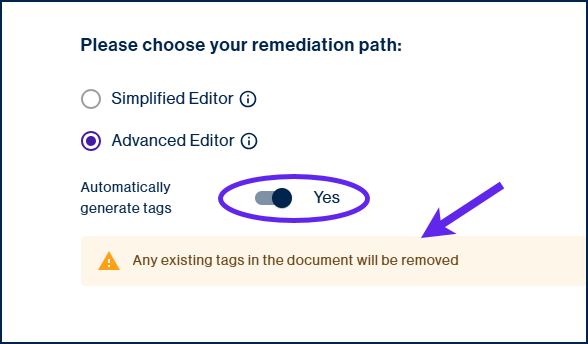
When choosing to use the web-based CommonLook PDF Advanced Editor, you will have the option to automatically generate tags in the PDF. This function can be found directly after the Advanced Editor radio button and when toggled to “Yes,” will automatically generated Tags in the PDF. All previously existing tags in the Tags tree will be removed and replaced with automatically generated tags. Because of this, we recommend using this feature only when choosing to use the tool on PDF documents without tags or those that you are sure are poorly tagged. For example, when you have PDF documents containing custom tags that are not role mapped to traditional PDF tags, this could be a viable option.
It is important to note that the automatically generated tags will still require manual checking and most likely fixing, based on the content in the document.
Was this article helpful?
That’s Great!
Thank you for your feedback
Sorry! We couldn't be helpful
Thank you for your feedback
Feedback sent
We appreciate your effort and will try to fix the article