When running a WCAG, PDF U/A, or HHS check, CommonLook PDF with check the metadata for the document as well as the other document elements such as tagging and alternative text. However, metadata is not tested with the Section 508 check. To manually check/fix the metadata, click on the Windows tab in the toolbar and then click the Metadata button in the ribbon. The metadata panel will open on the lower right side of the user interface. Make any necessary changes.
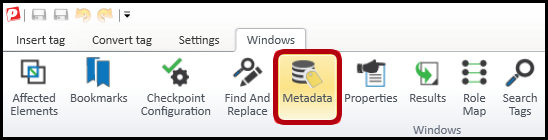
Tip: It is possible to resize the metadata panel to make it easier to read the text in the various fields within that panel.
Here are some suggestions:
- “Display Doc Title” should be checked (and there should be an appropriate document title in the “Title” box.
- Keywords help to make the document more easily found in online searches. Separate them with semi-colons.
- The Subject is often the same as the Title.
- The Author is not an individual person’s name. It is the department, agency, etc.
- Do NOT check the PDF U/A compliant checkbox unless the document has passed that check in verification.
- Assign a language for the document. Country is optional.
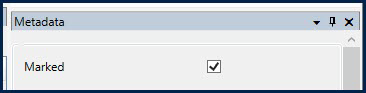
- New in version 5.13: Use the "Marked" checkbox to indicate that the document is a tagged PDF.
Didn't find what you're looking for? Navigate to our "Validation & Standard Check" section for more related articles that may help!
Was this article helpful?
That’s Great!
Thank you for your feedback
Sorry! We couldn't be helpful
Thank you for your feedback
Feedback sent
We appreciate your effort and will try to fix the article