When it comes to tagging captions in a PDF, there are two components to keep in mind.
- How to tag captions and,
- Where to put the <Caption> tags (Important: it's different for Tables and Figures).
To tag a caption:
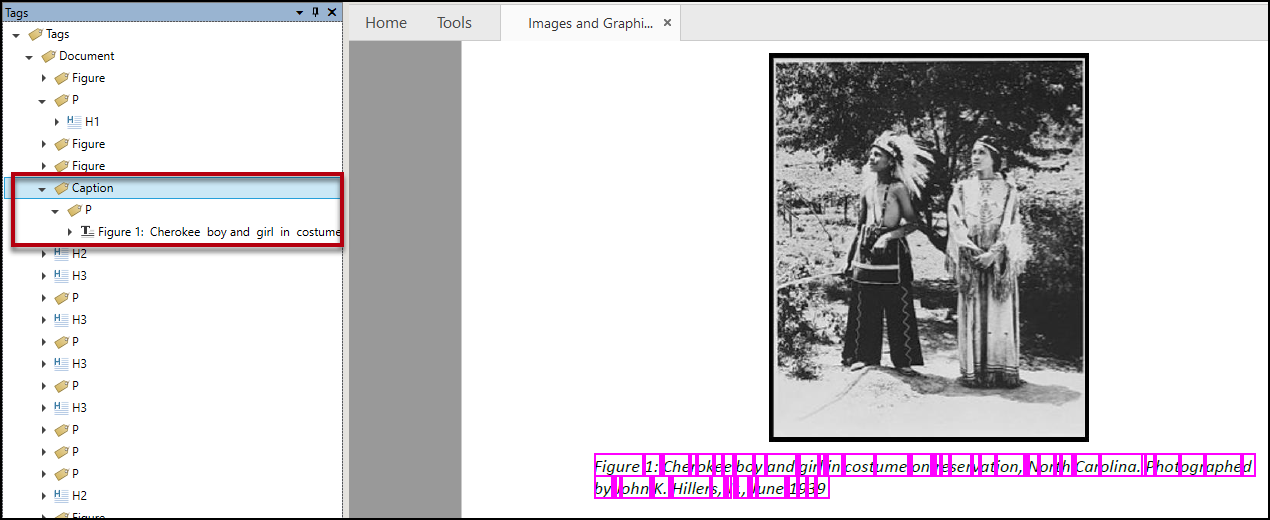
Caption tags fit into the "category" of "Grouping Tags" and, as such, need to contain other tags which then contain content. So, when tagging a caption, follow these steps:
- Select the text to be tagged as a caption. You can either do this in the Physical view or by selecting the tag containing the text in the Tags tree.
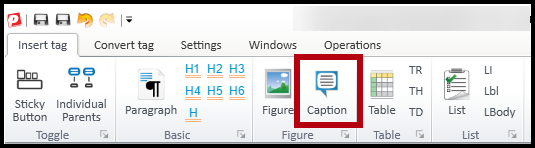
- Insert the caption text into a Paragraph tag either by creating a new Paragraph tag after highlighting the text in the Physical view or by converting the current tag to a Paragraph. The screenshot below shows the button to create a Paragraph tag from the Insert tag tab's ribbon.

- With the Paragraph tag selected, navigate to the Insert tag tab and select Caption (or use the keyboard shortcut Ctrl+Q).
Here's a screenshot of a properly "assembled" Caption, showing the Caption tag opened with a Paragraph tag inside it. The text of the caption is shown inside the Paragraph tag.
Where to Put the Caption Tag (Reading Order)
Figures
Place the Caption tag in the Tags tree either before or after the Figure tag (as siblings to each other) based on how it appears in the physical view.
Do not place Caption tags inside Figure tags. When the Figure tag has Alternative text (as required) then that's what gets read. As a result, if the Caption tag is nested inside a Figure tag, the contents of the Caption tag won't be read.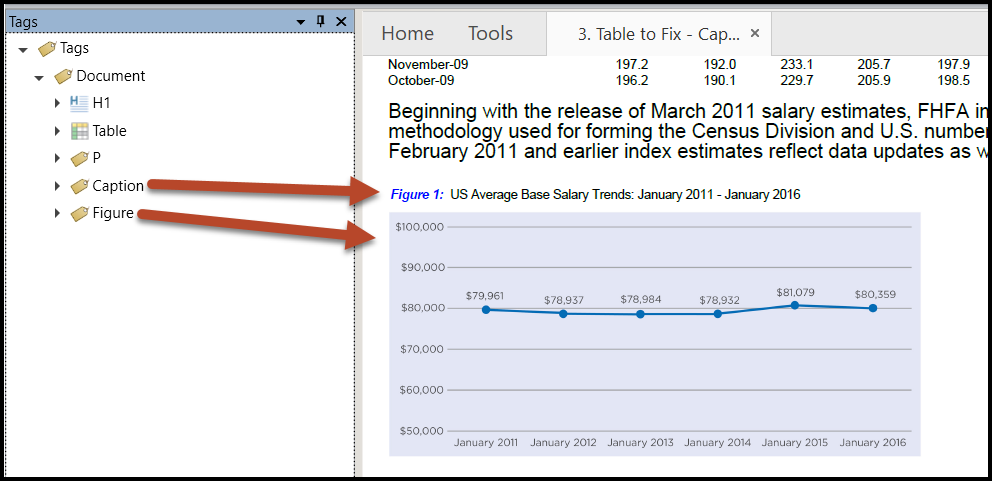
Tables
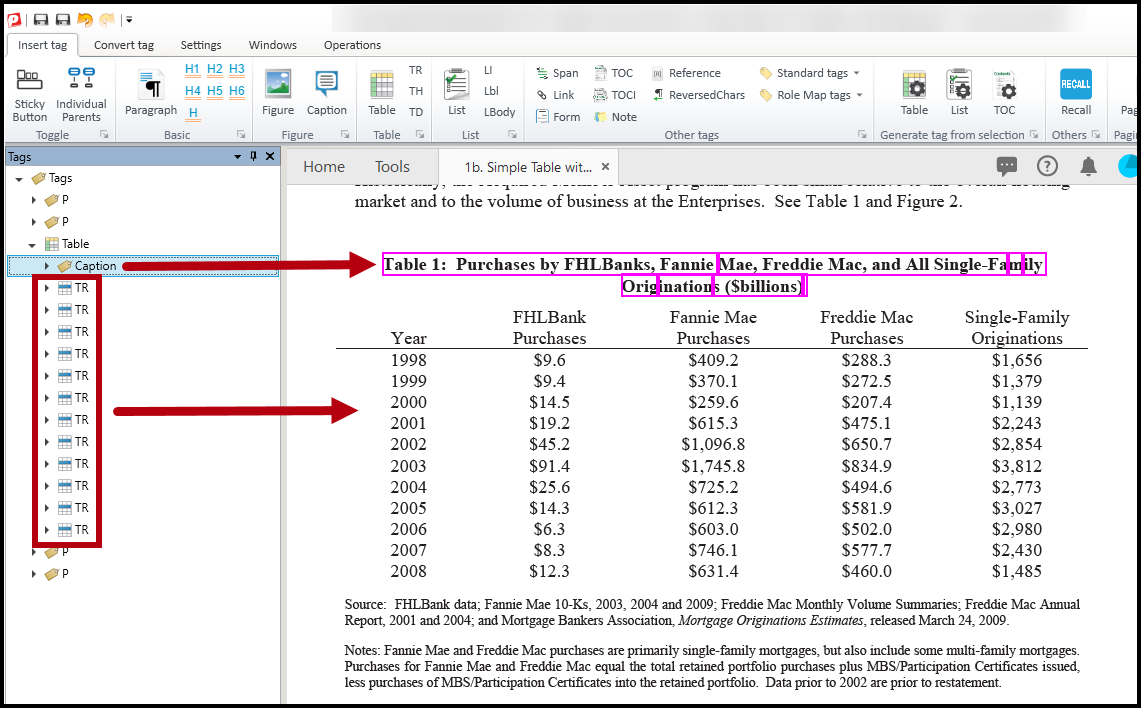
Caption tags for tables are placed inside the Table tag. Depending on whether the caption is displayed above or below the table in the physical view, the Caption tag will be placed above the first TR (Table Row) tag or below the last TR tag. Referring to the screenshot below, because the caption for “Table 1” appears above the table in the physical view, the Caption tag is placed inside the Table tag above the first TR tag.
Didn't find what you're looking for? Navigate to our "Tagging (or Untagging) Content" section for more related articles that may help!
Was this article helpful?
That’s Great!
Thank you for your feedback
Sorry! We couldn't be helpful
Thank you for your feedback
Feedback sent
We appreciate your effort and will try to fix the article