In addition to providing alternative text for charts, be sure that the bars, columns, pie slices, etc., can be differentiated from each other by a unique pattern and not only by their color. The reason, of course, is because people who are color blind or visually impaired will need that assistance when viewing the chart.
Important: This needs to be done in PowerPoint before running CommonLook Office.
- Insert (or create) the chart on the slide.
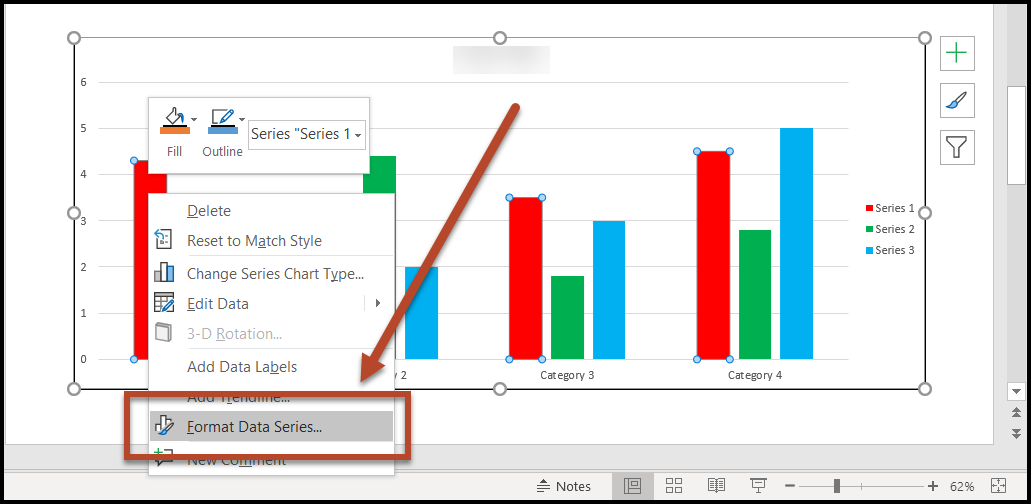
- Right-click on a column (pie slice, etc.)
- At the bottom of the context menu, choose “Format Data Series”
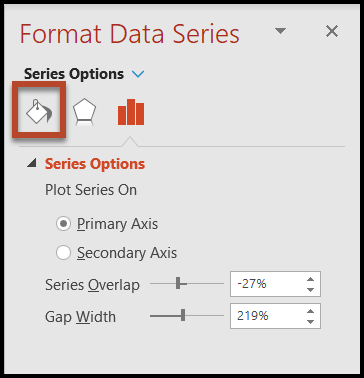
- In the Format Data Series panel, on the right, choose the first button on the left for “Fill and Line”
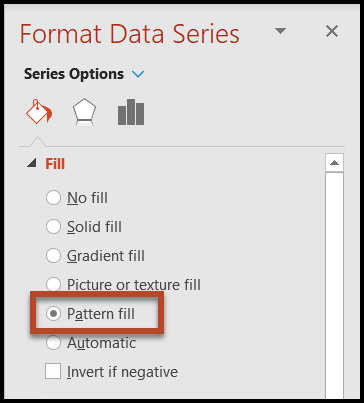
- Open the “Fill” menu and choose “Pattern Fill”
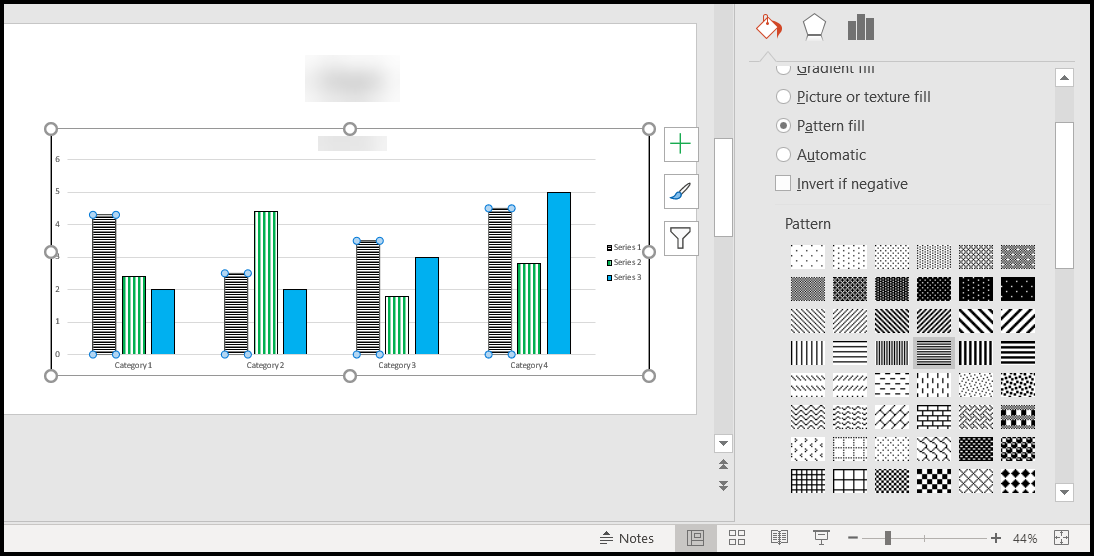
- Select an appropriate pattern. Tip: Below the Fill menu are Border options. Selecting a Solid Line border might also help to make the various Data points more visible.
Was this article helpful?
That’s Great!
Thank you for your feedback
Sorry! We couldn't be helpful
Thank you for your feedback
Feedback sent
We appreciate your effort and will try to fix the article