Getting Started
Step 1: Download Your Free CommonLook PDF Validator
Thank you for your interest in trying out the free CommonLook PDF Validator!
Please click the link below to download the software and get started.
- Download CommonLook PDF Validator
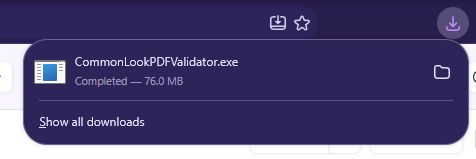
Step 2: Install The Software
Now that you've downloaded CommonLook PDF Validator, follow these steps to complete the installation:
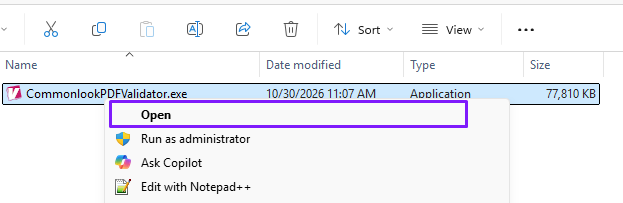
1. Open the downloaded installer (.exe file)
2. Click Install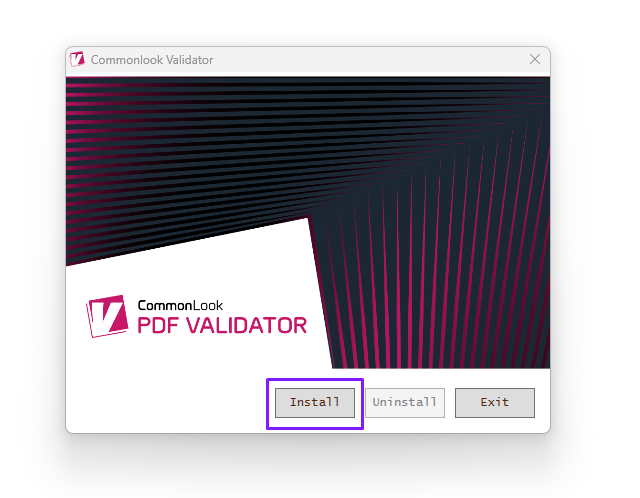
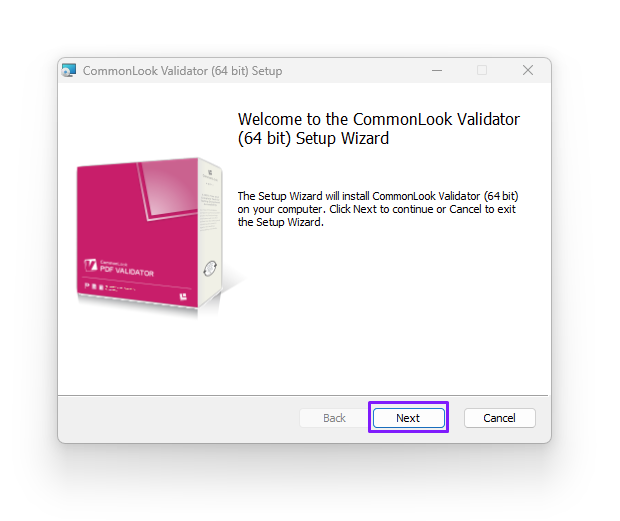
3. When the Setup Wizard opens, click Next.
4. Accept the License Agreement and click Next.
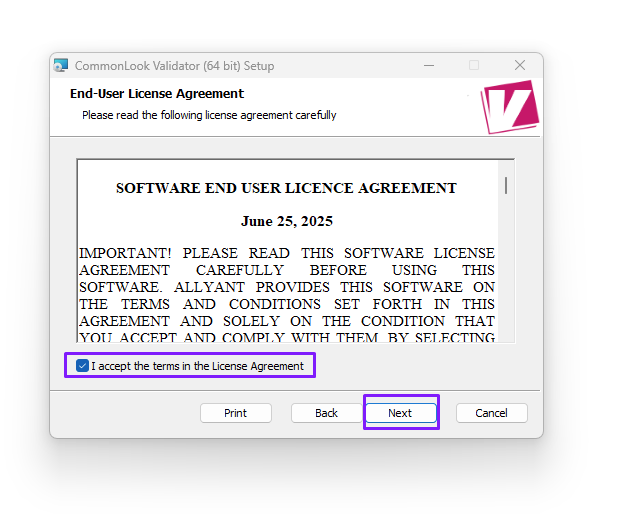
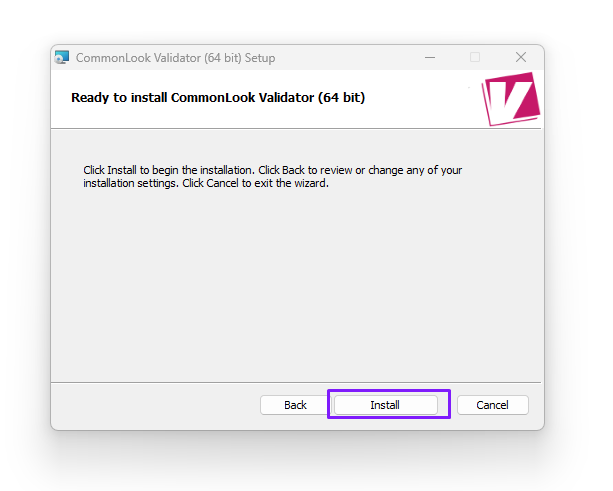
5. Click Install to begin the installation.
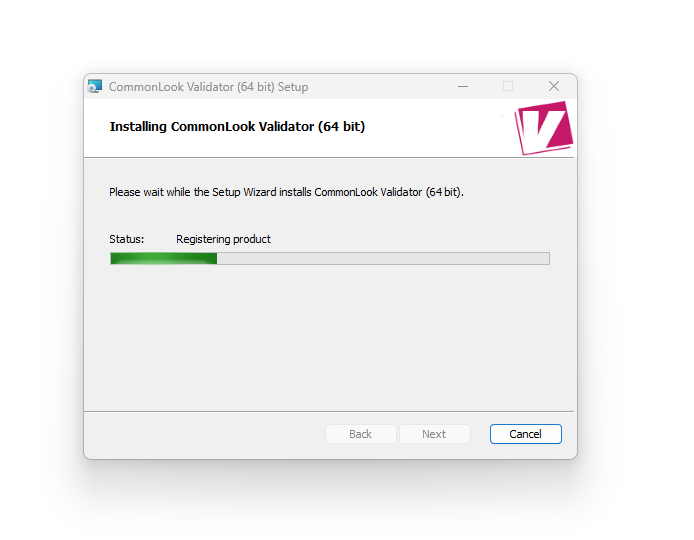
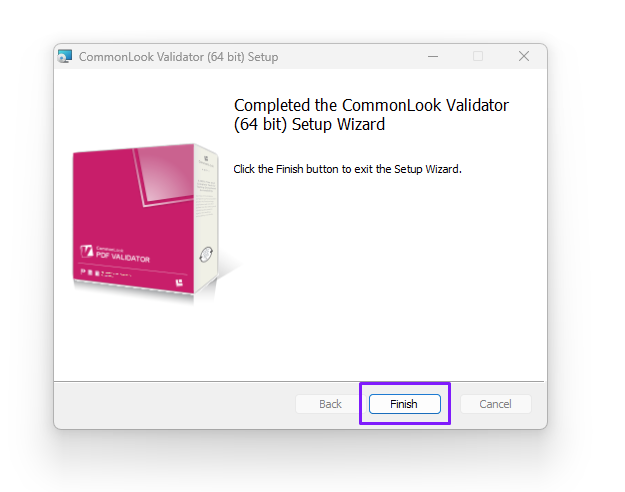
5. Wait for the installation to complete, then click Finish.
Step 3: Before You Get Started
Important: CommonLook PDF Validator is not a standalone application. It is an Adobe Acrobat plugin and requires Adobe Acrobat Pro or Standard. It is not compatible with the free version of Adobe Acrobat Reader.
Before opening CommonLook PDF Validator, make sure you have a PDF document open in Adobe Acrobat.
You can access the software from the Plugins section in Acrobat. The location may vary depending on which interface you're using:
Classic Adobe Interface:
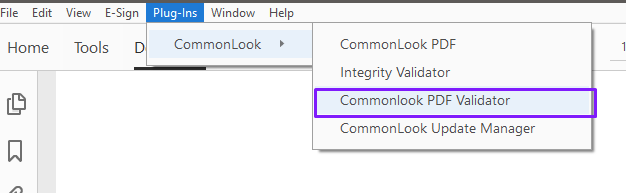
Modern Adobe Interface: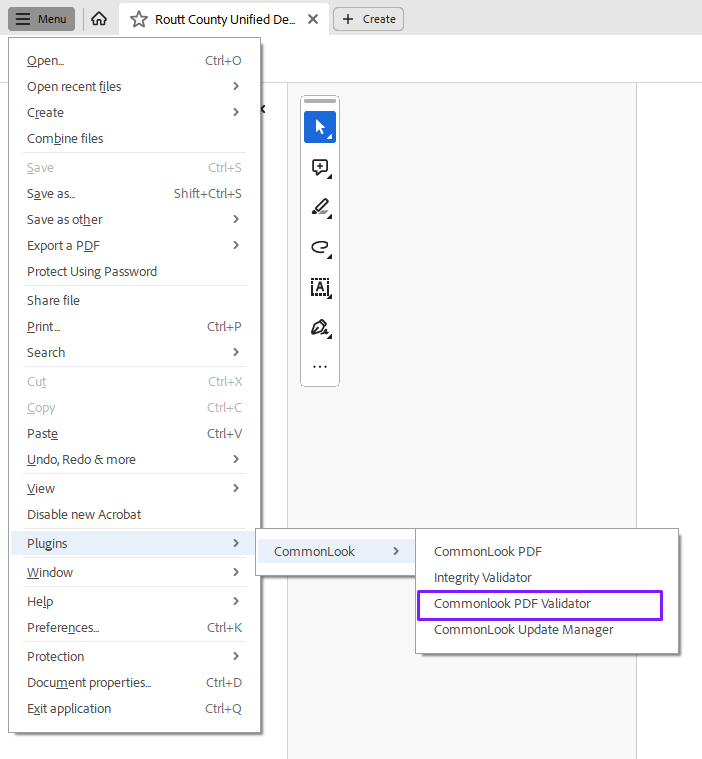
Once again, thank you for your interest in Allyant and our software solutions!
We hope you find CommonLook PDF Validator useful and make it a valuable part of your accessibility toolkit as we work toward making simple, seamless accessibility for all.
Was this article helpful?
That’s Great!
Thank you for your feedback
Sorry! We couldn't be helpful
Thank you for your feedback
Feedback sent
We appreciate your effort and will try to fix the article