A common issue that some documents face is that "extra" tags can clog up the verification phase of your document remediation. Here is an example of a common roadblock in action:
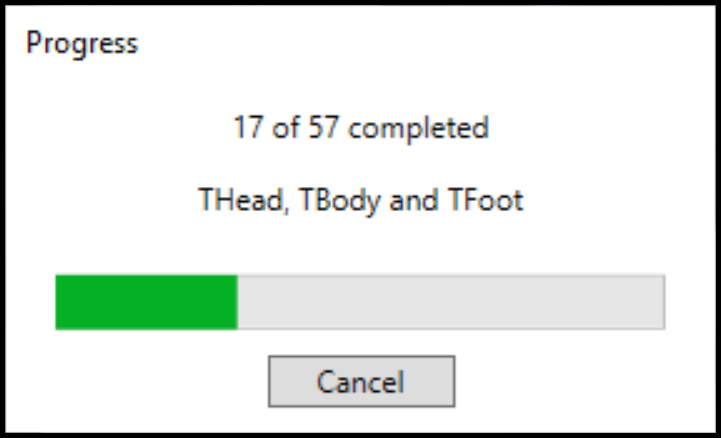
In short, users who are bumping into this issue are likely not following our Recommended Remediation Workflow that we teach in class, webinars, or explain in our Knowledge Base. Our workflow focuses on removing any unfamiliar tags and accurately tagging the content throughout the document. If that process is being followed, these tags (THead, TBody, and TFoot, for example) would have been removed and replaced with accurate ones.
What's happening in this situation is that CommonLook is trying to go through all of the tables, row by row, cell, by cell, etc. and because there are "extra" tags there (THead, TBody, and TFoot), it's taking longer. But, in reality, you don't need any of those tags in your tables. All you need are the Table tags, with TRs inside, with TDs and THs inside your TR tags. So, if you do things like "Level up" the TR tags out of the THead, TBody, and TFoot, while you're going through the rest of the remediation, the verification will go much faster! (You'll also be significantly less likely to run into other errors that you'd otherwise get on an unremediated document!) Also, because you're remediating first, and there are fewer failures, etc., for CommonLook to flag, the verification will go much faster!
So, going back to your training, navigate through the tags first checking tag type, reading order, making sure your tables and lists (and etc.) are tagged correctly and then run the verification.
Didn't find what you're looking for? Navigate to our "Validation & Standard Check" section for more related articles that may help!
Was this article helpful?
That’s Great!
Thank you for your feedback
Sorry! We couldn't be helpful
Thank you for your feedback
Feedback sent
We appreciate your effort and will try to fix the article