Product
CommonLook PDF Desktop Version
Feature
Tables
Document Element
Table Types, Presentation Tables, Data Tables
Overview
There are two types of tables you'll come across in PDF documents: presentation tables and data tables. Knowing which type you're working with is the first step to tagging or remediating it correctly.
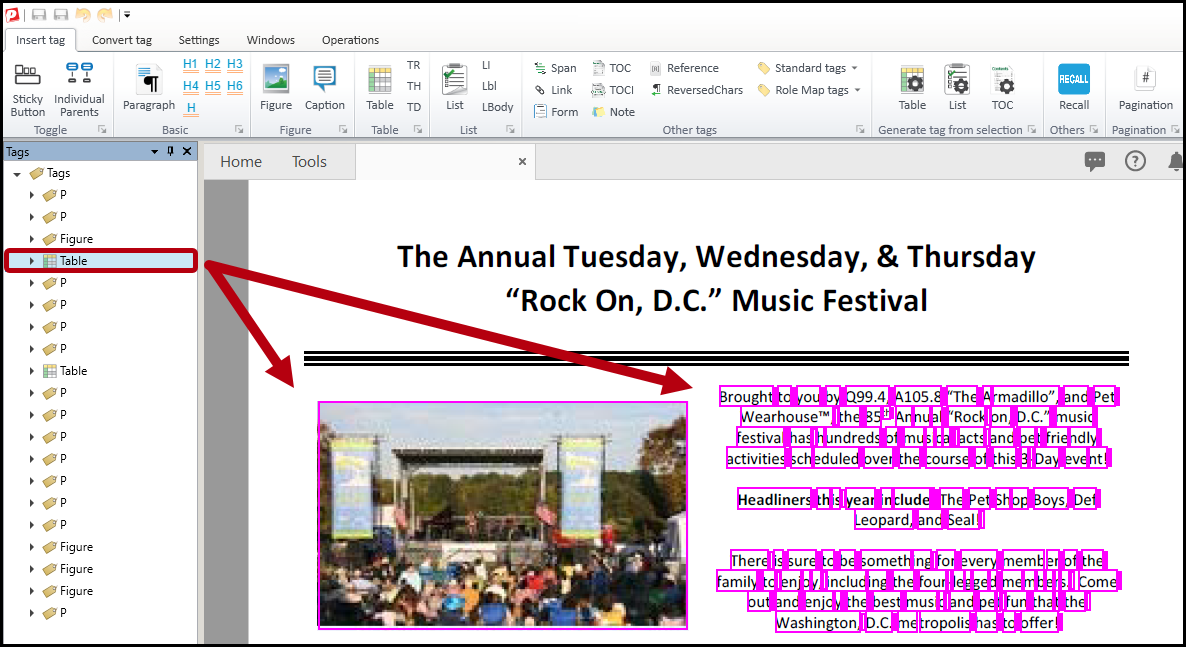
Presentation Table: Table structure is used purely for visual layout or alignment, like placing images or text side by side, where the table tag doesn't actually reflect meaningful tabular data.
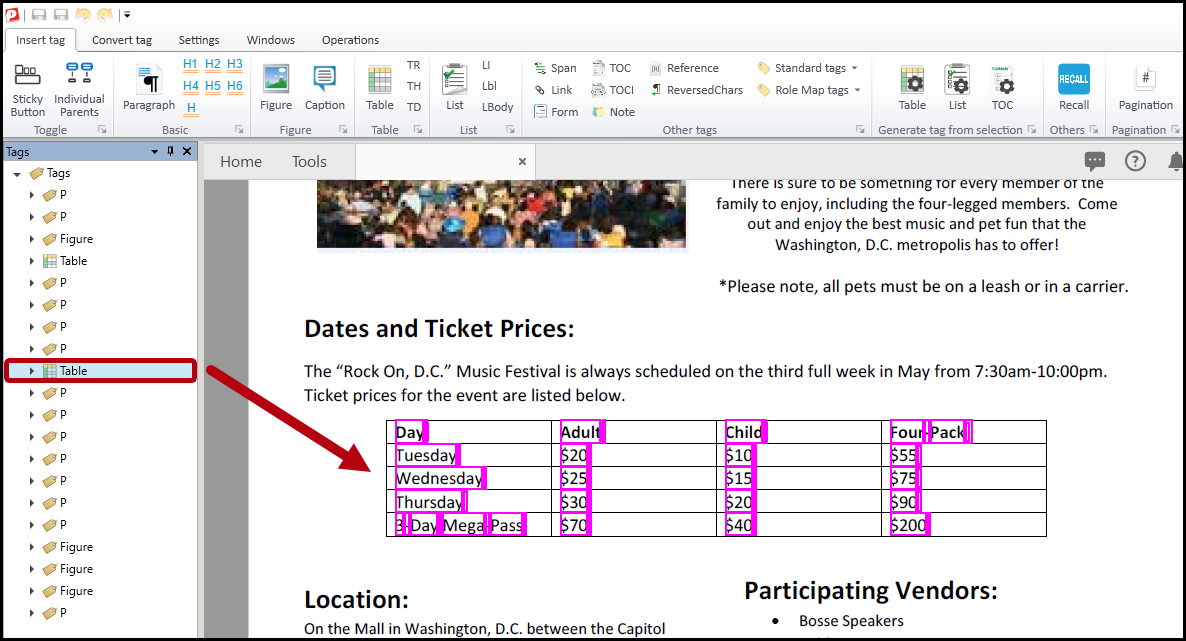
Data Table: Header cells and data cells work together to convey a relationship, for example, connecting a row label to a column label to identify what a specific value means. The structure itself is doing real work and removing it would cause you to lose that relationship, and the information would become harder or impossible to interpret correctly.
Prerequisites
Before you begin, make sure you have:
- A table tag located in the tags tree.
- The physical view open so you can compare the tagged content (or the untagged table) to how it actually looks on the page.
Steps to Follow
Compare the tag to the page content
- Select the table tag in the tags tree.
- Look at the highlighted content in the physical view.
- Ask yourself whether the highlighted content actually functions as a data table, with rows and columns that convey a relationship between headers and data.
Identify a presentation table
If the highlighted content doesn't look like a traditional table, meaning table formatting was used just to lay out or align content, you're likely looking at a presentation table. Table functionality was used to help with formatting, resulting in a table tag that doesn't reflect real tabular data.
Identify a data table
If the highlighted content has headers and data cells that convey a relationship, meaning the table is genuinely organizing and relating information, you're looking at a data table.
Common Problems
I determined my table is a presentation table, what do I do next?
Navigate to the "How to Remediate Presentation Tables in CommonLook PDF Desktop" article for a more detailed guide on managing and breaking down Presentation Tables.
I determined my table is a data table, what do I do next?
Navigate to the "How to Tag a Data Table in CommonLook PDF Desktop" article for a more detailed guide on managing and breaking down Data Tables.
Frequently Asked Questions
Can a document have both types of tables?
Yes. It's common for a single PDF to include both presentation tables and data tables. Check each table individually since the same document can have a mix.
What if I'm not sure which type a table is?
Look closely at whether the content is truly organized into rows and columns that relate to each other, like a data table, or whether it just looks like text or images placed into a table for layout, like a presentation table. When in doubt, treat it as a presentation table unless there's a clear header and data relationship.
Was this article helpful?
That’s Great!
Thank you for your feedback
Sorry! We couldn't be helpful
Thank you for your feedback
Feedback sent
We appreciate your effort and will try to fix the article