In Acrobat please navigate to:
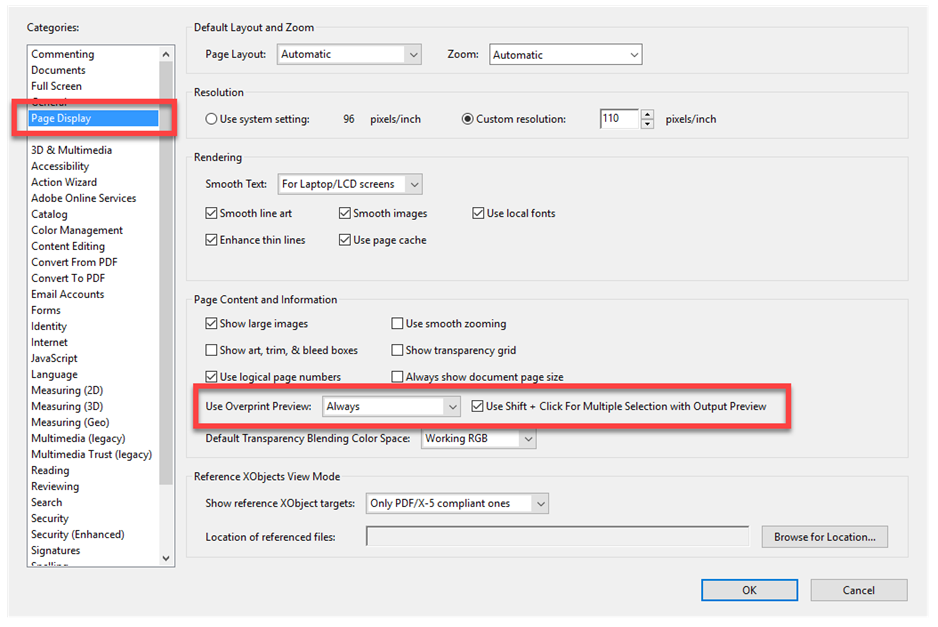
Edit > Preferences > Page Display and select the "Use Overprint Preview" option.
When you go to Edit and then Preferences, you’ll get the Preferences dialog box. Navigate on the left to Page Display and then set the Overprint Preview.
Set the drop down option to "Always."
Was this article helpful?
That’s Great!
Thank you for your feedback
Sorry! We couldn't be helpful
Thank you for your feedback
Feedback sent
We appreciate your effort and will try to fix the article